Examples
Each starts from Editors › Themes. Tick Wear while editing to see every window change as you go, and Save when it is right; then choose it on Settings › Hydra › Hub › Theme, or on one character’s Theme page.
A theme from one colour
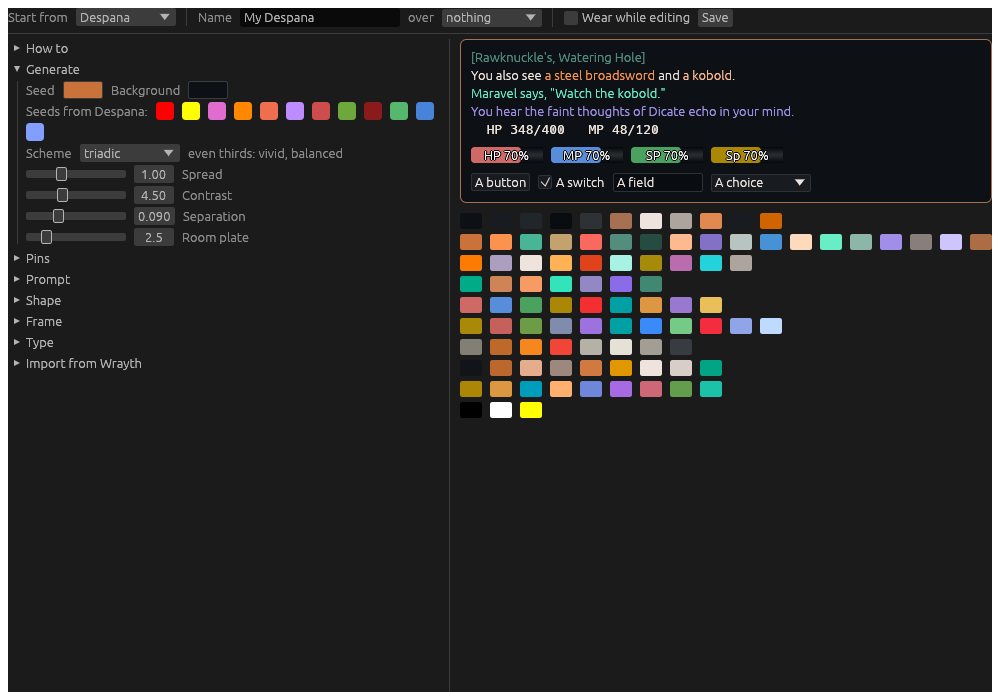
Start from Despana, and set over to nothing, so every colour is generated. Click one of the Seeds from Despana, or the Seed swatch to choose your own colour, and try the Schemes: triadic for three hues round the wheel, analogous for a calm one. Name it and save.
A light theme
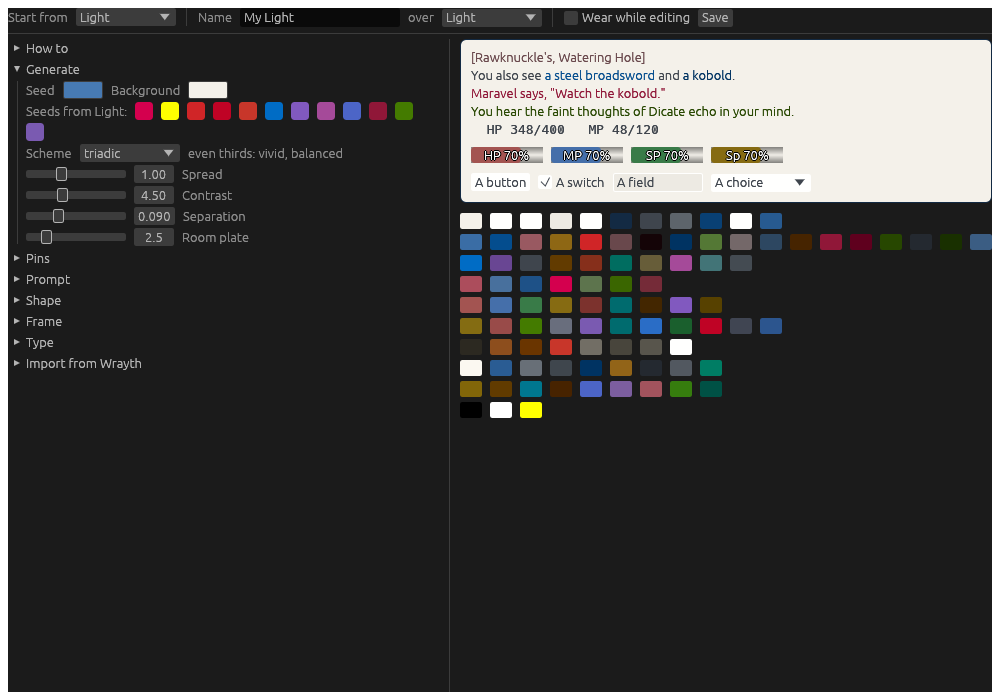
Start from Light: a warm white ground and its blue seed, every colour generated to read on it. Change the Seed for another accent, or the Background for another ground. To wear it only by day, tick Follow the computer’s dark or light mode on Settings › Hydra › Hub and choose it as the Light theme.
Each channel its own colour
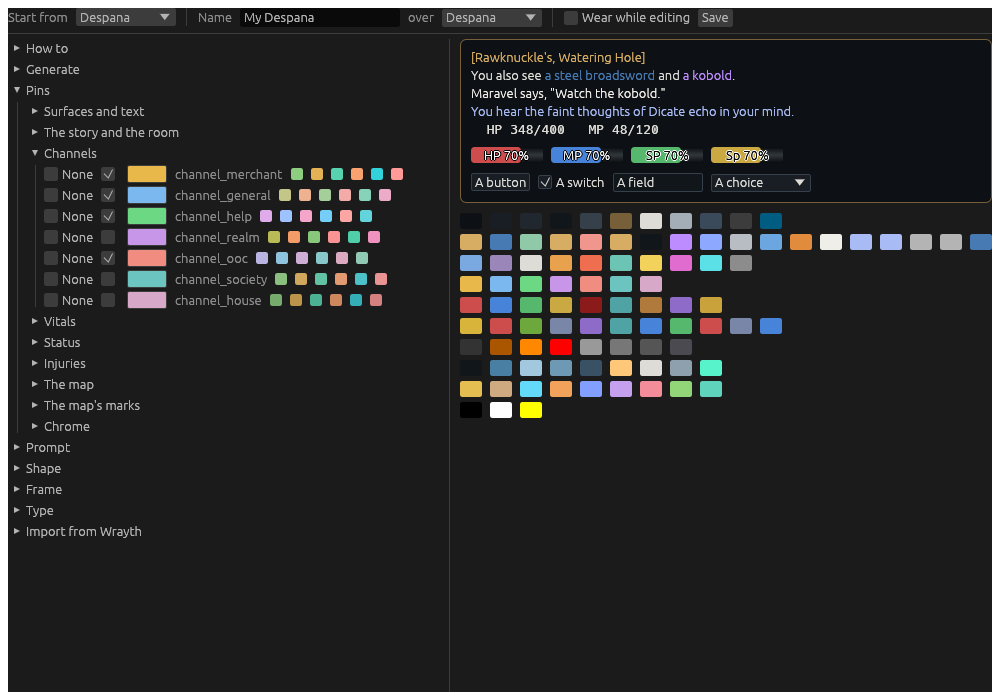
Open Pins › Channels. Each channel colours its lines whole, the
[Merchant] tag and all; click a channel’s swatch and choose. Tick
None for a channel you would rather read as plain text.
Make fatal crits stand out
Open Pins › The story and the room. fatal_crit is at None:
untick it, and choose its colour. A creature’s death message keeps the
creature_death colour, so a kill by a crit and a kill by damage read
apart.
A square, tight look
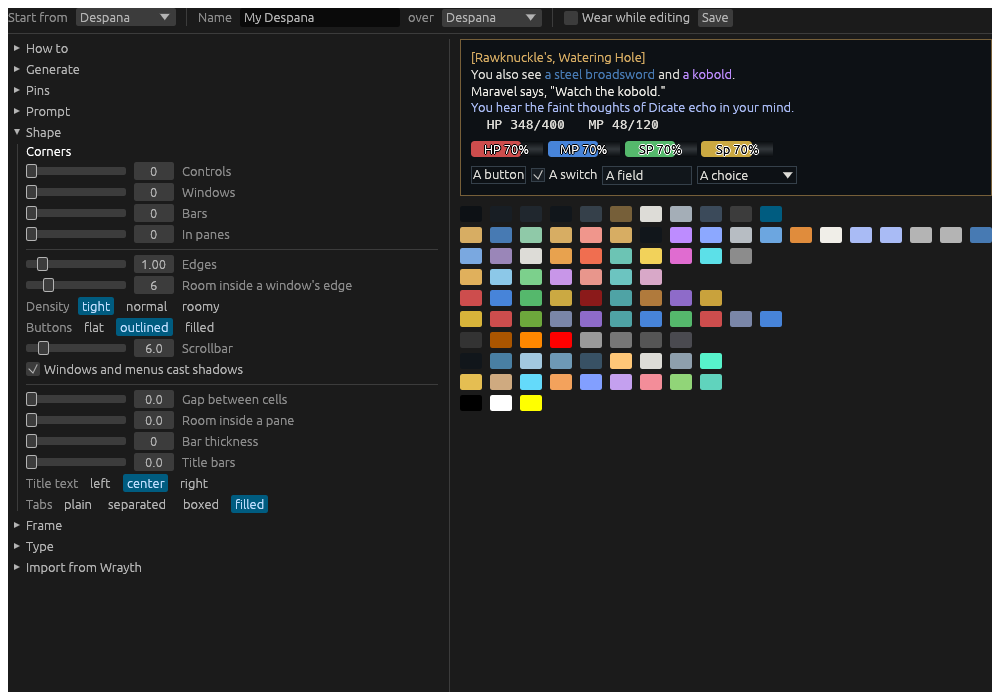
Open Shape. Set every Corner to 0, Density to tight, Buttons to outlined, and Tabs to filled, so every tab sits on a ground of its own.
Bring a Wrayth skin over
Open Import from Wrayth. Paste the path of a Wrayth skin (.skn) or
settings file (.xml), give it a Name if you like, and press
Import. Its preset colours, the room names, creatures, speech,
whispers, thoughts, watching and links, become a theme over Despana. A
skin’s pictures and fonts are not brought, only its colours.
From a play window, the same: .theme import <file>, or .theme import <file> as <name>.
One character in its own colours
On Settings, choose the character, and its Theme page: choose a
Theme for its window alone, and an Accent over it. Two characters
side by side are told apart at a glance. From its play window: .theme mine <name> and .theme accent <#rrggbb>.