Examples
Each example is a trigger made from New, shown with a line from the game pasted into Try it, so you can see what it does before it ever meets the game. Change the names and words to your own.
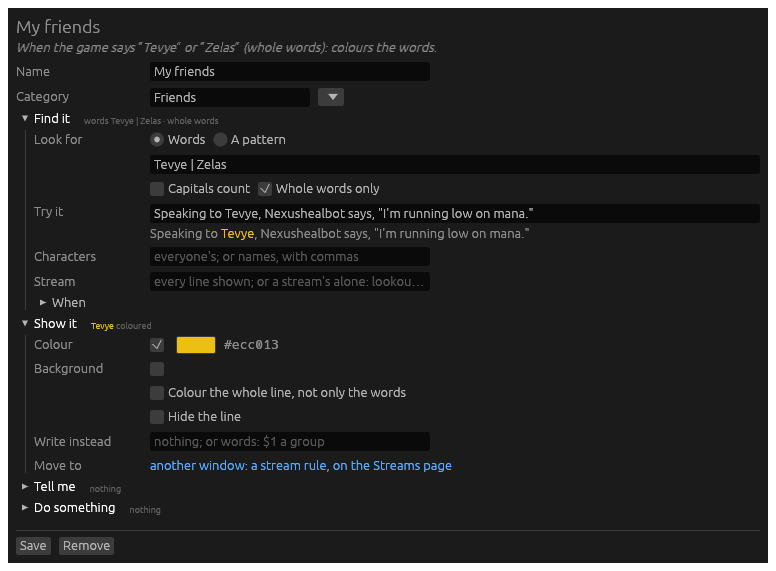
Colour your friends’ names
New → Colour words. Look for the names, with | between them, and
tick Whole words only, so Tevye does not light up inside another
word. Choose the colour under Show it.
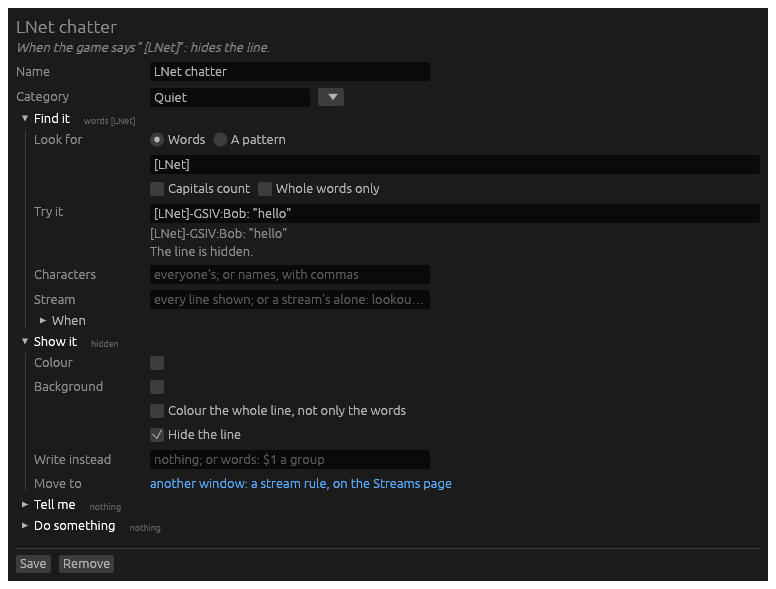
Hide lines you never want to see
New → Hide lines. Look for words every such line holds. Lich’s LNet
chat starts each of its lines with [LNet].
To keep the chat, but out of the story, move it instead: see Give a chat its own window.
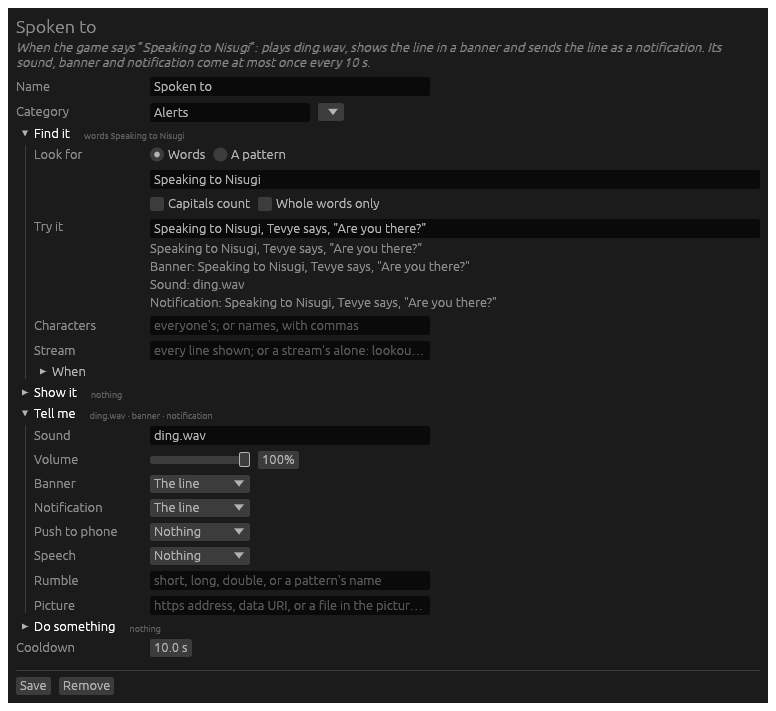
Know when someone speaks to you
New → Alert me. The game writes speech meant for you as Speaking to <you>, <them> says, so look for Speaking to and your name. Under
Tell me: a sound, a banner of the line, and a notification, so it
reaches you with Hydra behind other windows. A cooldown of 10 seconds
keeps a long talk from ringing on every line.
Count down a stun
New → Start a timer. The game says how many rounds: You are stunned for 2 rounds!. A pattern keeps the number, (\d+), and the
timer runs $1 times 5 seconds. Under Tell me, speech says
Stunned, for when you are looking elsewhere.
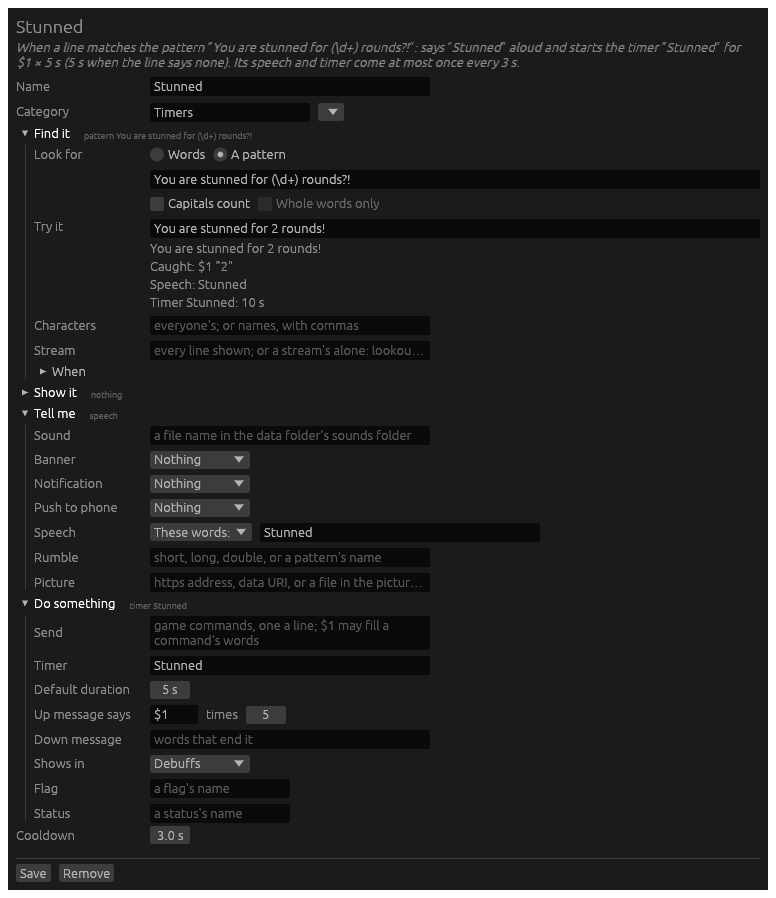
It counts down in the Debuffs list, and in the Timers widget, which gathers every list.
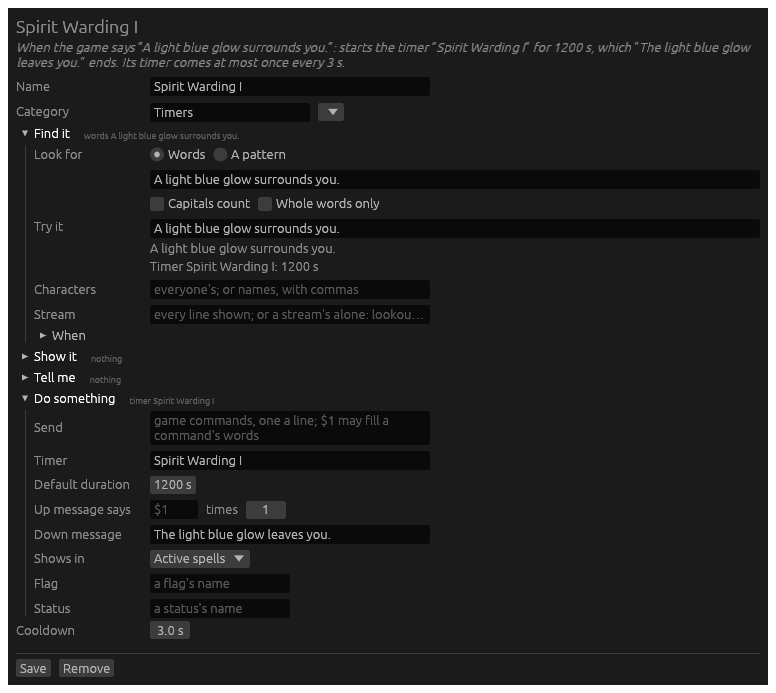
Time a spell
New → Start a timer. Look for the spell’s message as it comes up,
A light blue glow surrounds you., and give the timer as long as your
casting lasts. Down message ends it when the spell wears off early:
The light blue glow leaves you.
Shorten a long line
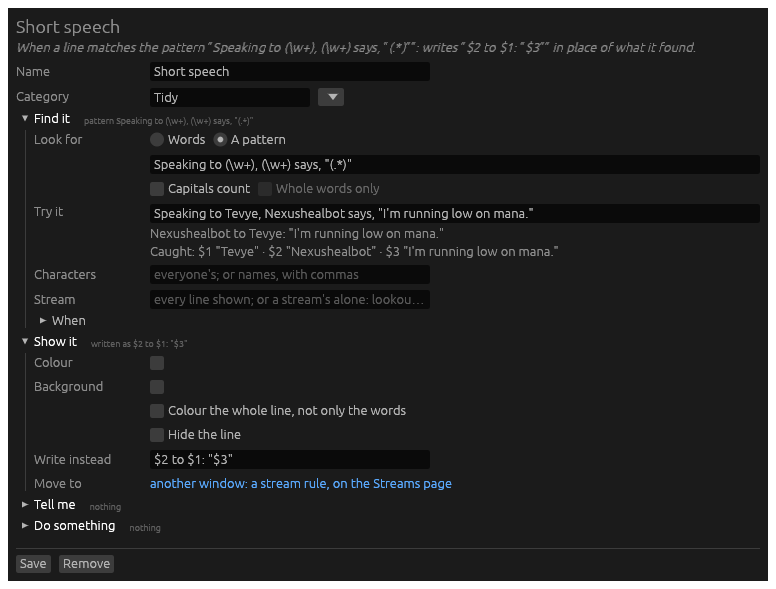
New → Anything. A pattern takes the line apart into groups, and Write instead puts it back together, shorter:
| The game | The story |
|---|---|
Speaking to Tevye, Nexushealbot says, "I'm running low on mana." | Nexushealbot to Tevye: "I'm running low on mana." |
Give a chat its own window
That is a stream rule, not a trigger: right-click an
[LNet] line, choose Send lines like this to… and A stream of
your own…, and name it lnet. Once the rule is saved, the play
window’s Menu › Layout › Add a widget offers an lnet window, under
Streams.
Answer the game
New → Send a command. When your spell is ready, cast it:
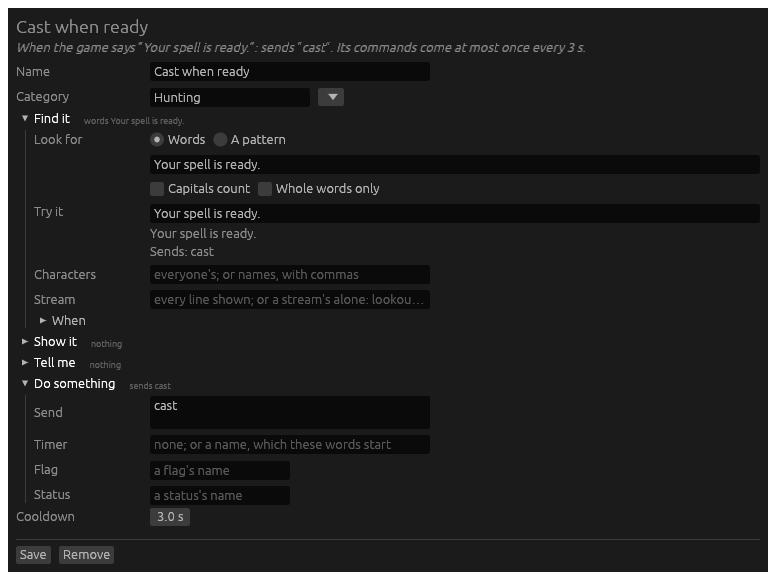
A trigger sends only once the character is in the game and ready, never
while it logs in. Its Cooldown, 3 seconds unless you change it, is the
pace of its sends: at 0 it sends for every line it finds.
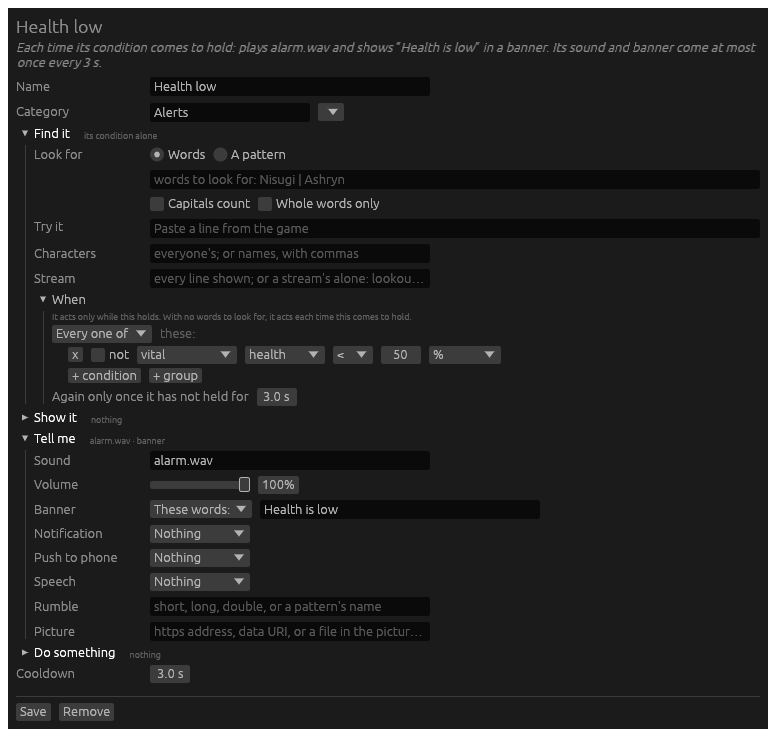
Watch your health
New → Watch my character. There are no words to look for: under When, the condition vital health < 50 % is the whole trigger. It plays a sound and shows Health is low each time your health falls under half. Try it has no line to try: the sentence at the top says what it does.
Light a status while a spell lasts
Two triggers: one lights a status, one puts it out. New → Mark a
flag or status, look for the spell coming up, and name the Status:
Warded.
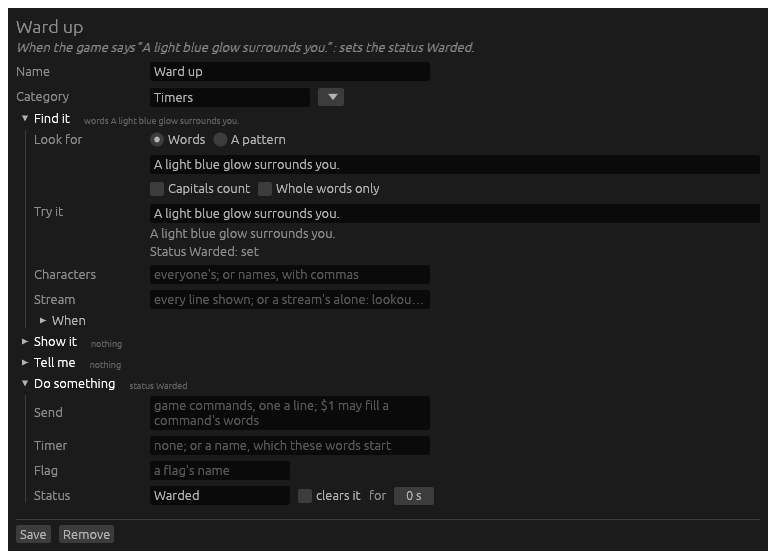
Then a second, looking for The light blue glow leaves you., with the
same status and clears it ticked. The Custom statuses widget
shows Warded while the spell lasts, and any trigger can ask for it
under When: indicator Warded. A flag works the same way, but shows
nowhere: it is for other triggers alone.