Start a team
A team is a set of characters started together with one click: a hunting party, or everyone you log in each evening.
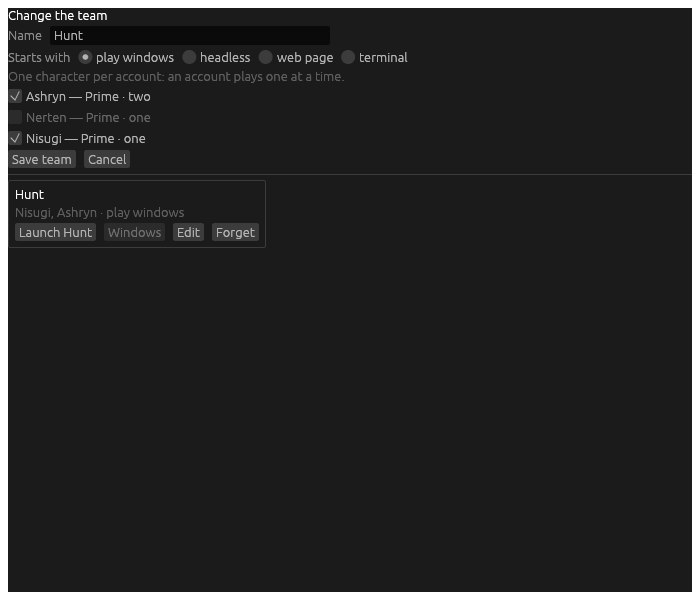
- On the hub’s Teams tab, choose New team.
- Give it a Name.
- Choose what it Starts with:
- play windows: each character’s play window opens. If Hydra was resting, only those open, and the hub stays hidden.
- headless: no play window. A character’s card opens one when you want it.
- web page: no play window on this computer, and the web page is served for them, for playing from a phone or another computer.
- Tick its characters. An account plays one character at a time, so a team takes one character per account.
- Choose Save team.
Launch starts every character in the team. Windows brings up the play window of every member playing, as a character’s own card does for one. Edit changes the team, and Forget removes it.
A team’s characters start with their kept passwords, so keep each one’s password first (see Log a character in). A character whose password is not kept is left out, and the hub says so. On Windows, the tray’s Start a team starts a team too.